
How Maya turns an operations report request into a managed agent workflow
A founder needs the monthly operations report by Friday: revenue movement, activation funnel, churn notes, and three concrete decisions for the next leadership meeting.
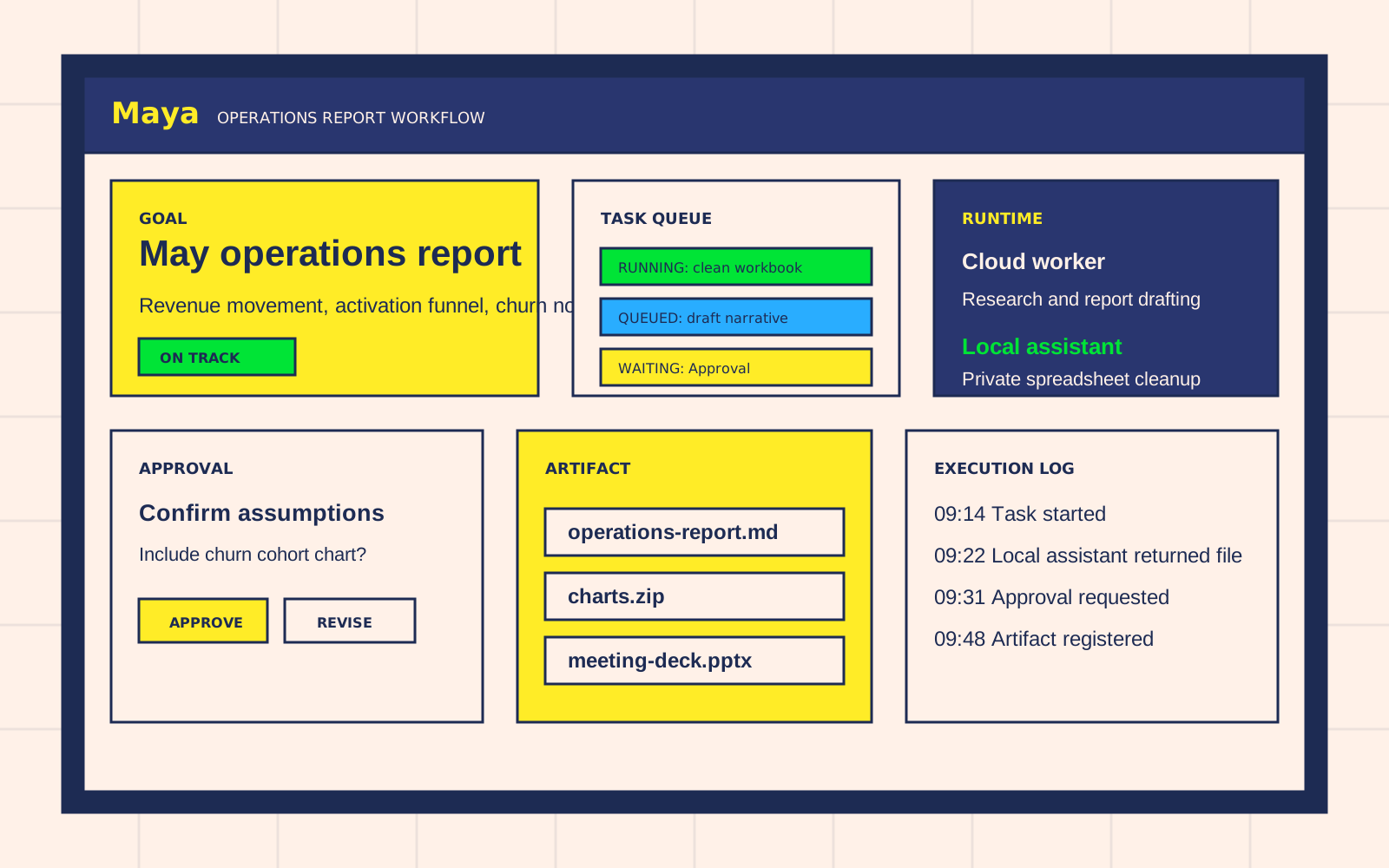
In Maya, the request starts as one Goal. Maya keeps the work visible as a managed workflow instead of leaving it inside a chat thread.
The starting point
The team writes one Goal: "Prepare the May operations report for the leadership meeting." The Goal includes spreadsheet exports, meeting notes, a dashboard link, and the required output format.
Maya then turns the request into a Task plan:
- collect the source files and note missing inputs
- clean spreadsheet rows and normalize time ranges
- compare the activation funnel with the previous month
- draft the report narrative
- prepare charts and a review checklist
- package the final Artifact files
Each Task has an owner, a dependency, and a current state. The user can see whether the work is queued, running, waiting for approval, blocked, or complete.
Queue and execution
The planner keeps the Task queue explicit. Research and drafting run in the cloud Runtime. Private spreadsheets run through a connected local assistant so sensitive files stay inside the project workspace.
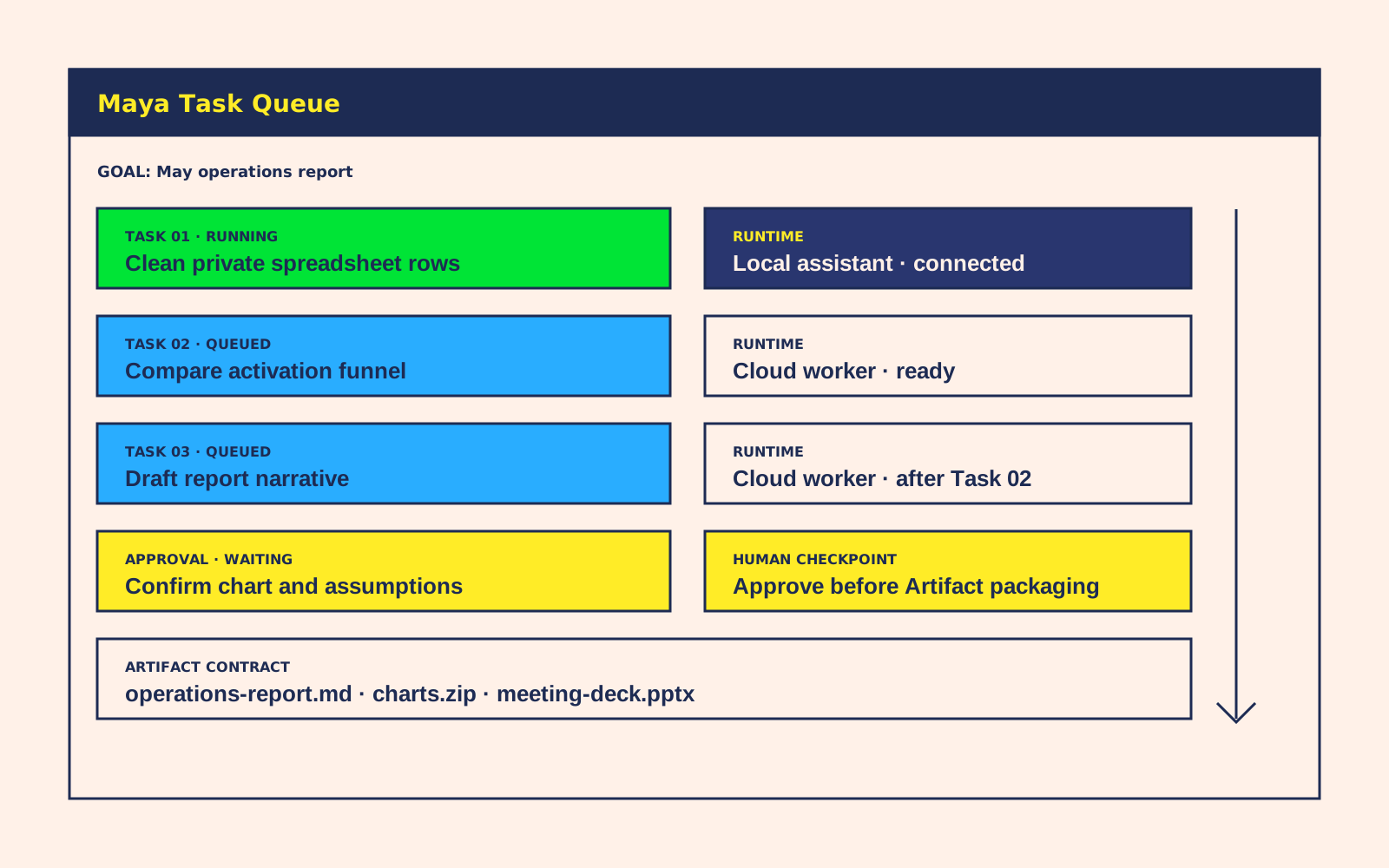
The important difference is control. Maya does not ask the user to monitor several assistant tabs. It records every execution attempt, shows the active Runtime, and keeps the next waiting step visible.
When the data-cleaning Task needs access to a private workbook, Maya routes that Task to the local assistant. The browser and API do not read the local path directly; the local assistant performs the work, returns a registered output, and leaves an execution record.
Approval before delivery
Before Maya packages the final report, it pauses on an Approval:
- confirm whether to include the churn cohort chart
- approve the assumptions used for activation-rate normalization
- choose Markdown, DOCX, PPTX, or all formats
The approval request explains who asked, what will happen, and what changes if the user declines. The workflow waits at that checkpoint instead of silently sending an unfinished deliverable.
Artifact delivery
After approval, Maya registers the final Artifact set: report draft, chart images, source summary, and meeting version. The files are connected back to the Goal and every Task that produced them.
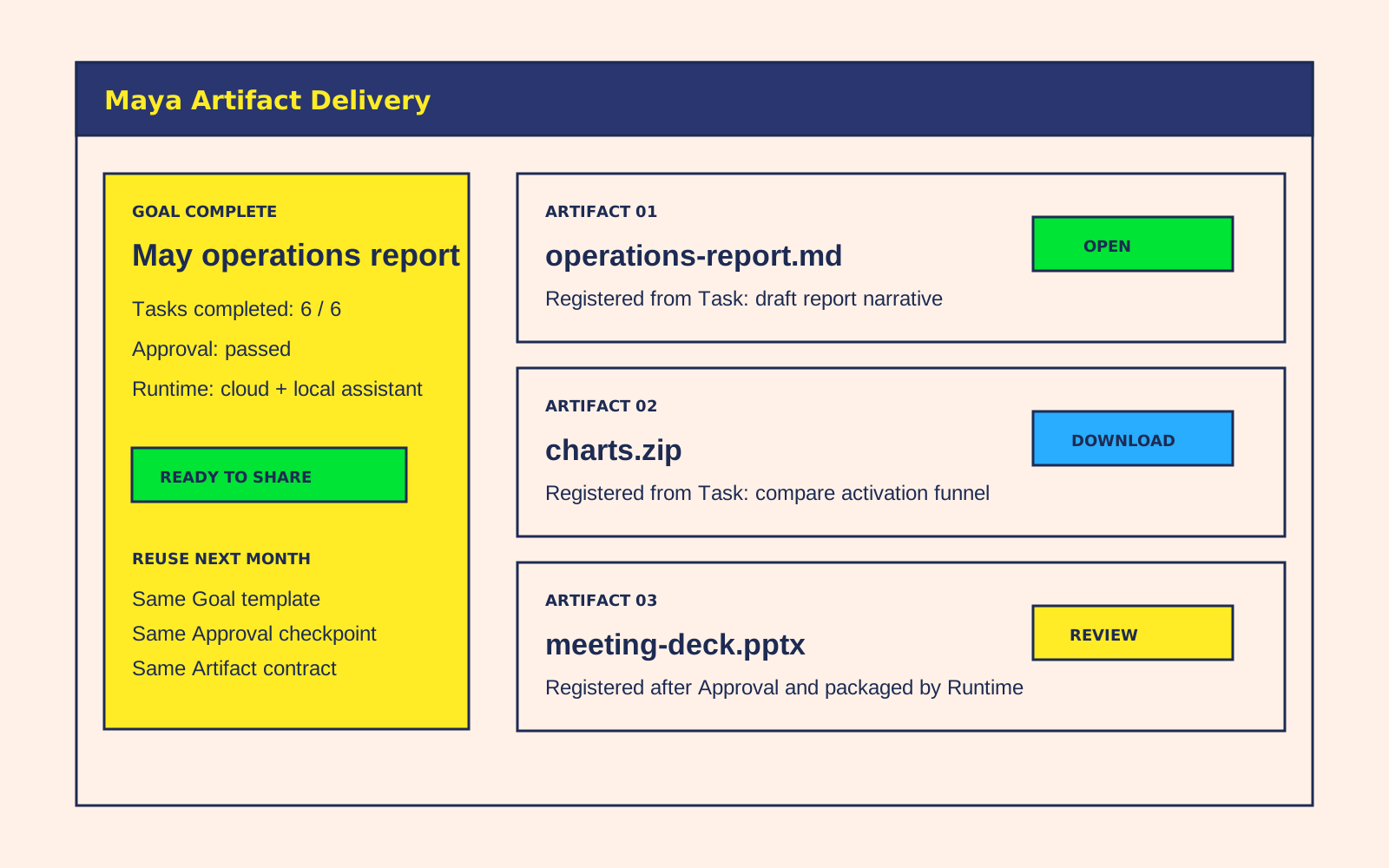
Next month, the team starts from the same Goal template. The Task plan, approval checkpoint, Runtime choice, and output contract are already in place.
Why this is a Maya case
This workflow uses the core Maya objects directly:
- Goal holds the business request and success criteria.
- Task turns the request into queueable work units.
- Runtime chooses cloud execution or the connected local assistant.
- Approval makes human confirmation explicit.
- Artifact turns the result into files the team can reuse.
Maya is the control plane for the work. Agents can run, stop, retry, ask for approval, and deliver files, while the team keeps a readable record of what happened.