Mayaai Top
FeaturesTutorialsAI PracticesChangelog
Get started
Mayaai Top · AI digital workforce

One place to manage
all your digital workers.

Turn Codex, Claude Code, OpenClaw, and other AI tools into digital workers that can take a role, execute work, and deliver files. Tell Mayaai Top the outcome; it helps assign the work, show progress, pause for your decision, and keep every result in one workspace.

Manage digital workersRead the getting-started guide
Connect this computer
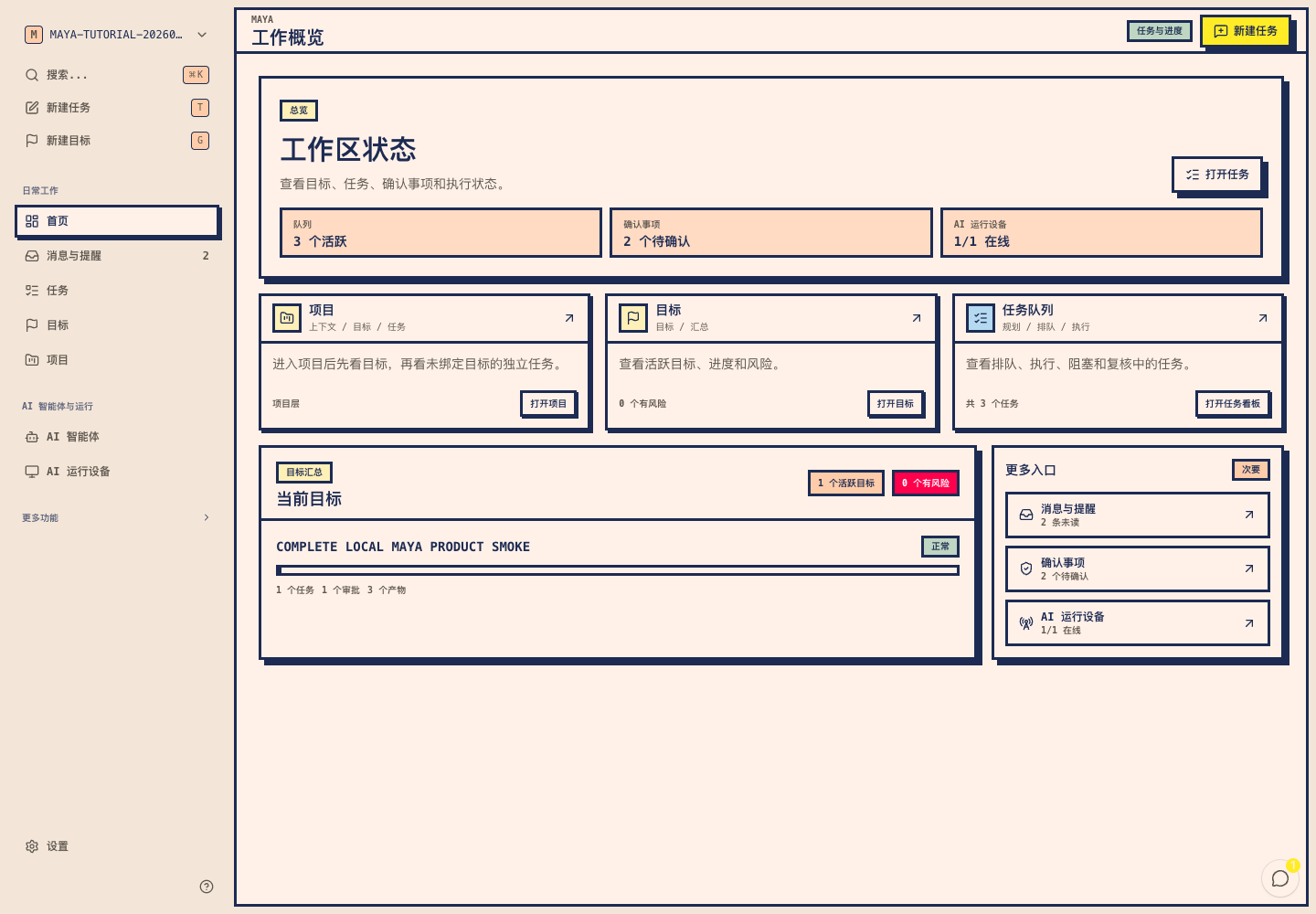
Real Mayaai Top workspace overview showing goals, task progress, decisions, AI runtime devices, and digital workers

Bring the AI tools you already use into one workspace

Codex
Claude Code
OpenClaw
Hermes
Configure on desktop · manage in WeChat

Step away from your computer, not your agents.

Connect runtime devices and configure digital workers on the web. Use the Mayaai Top WeChat mini program to follow tasks, make decisions, and find deliverable files wherever you are.

  • Follow task and goal progress
  • Handle decisions that need you
  • Find deliverable files on the go

From outcome to delivery

You define the outcome. Digital workers move the work forward.

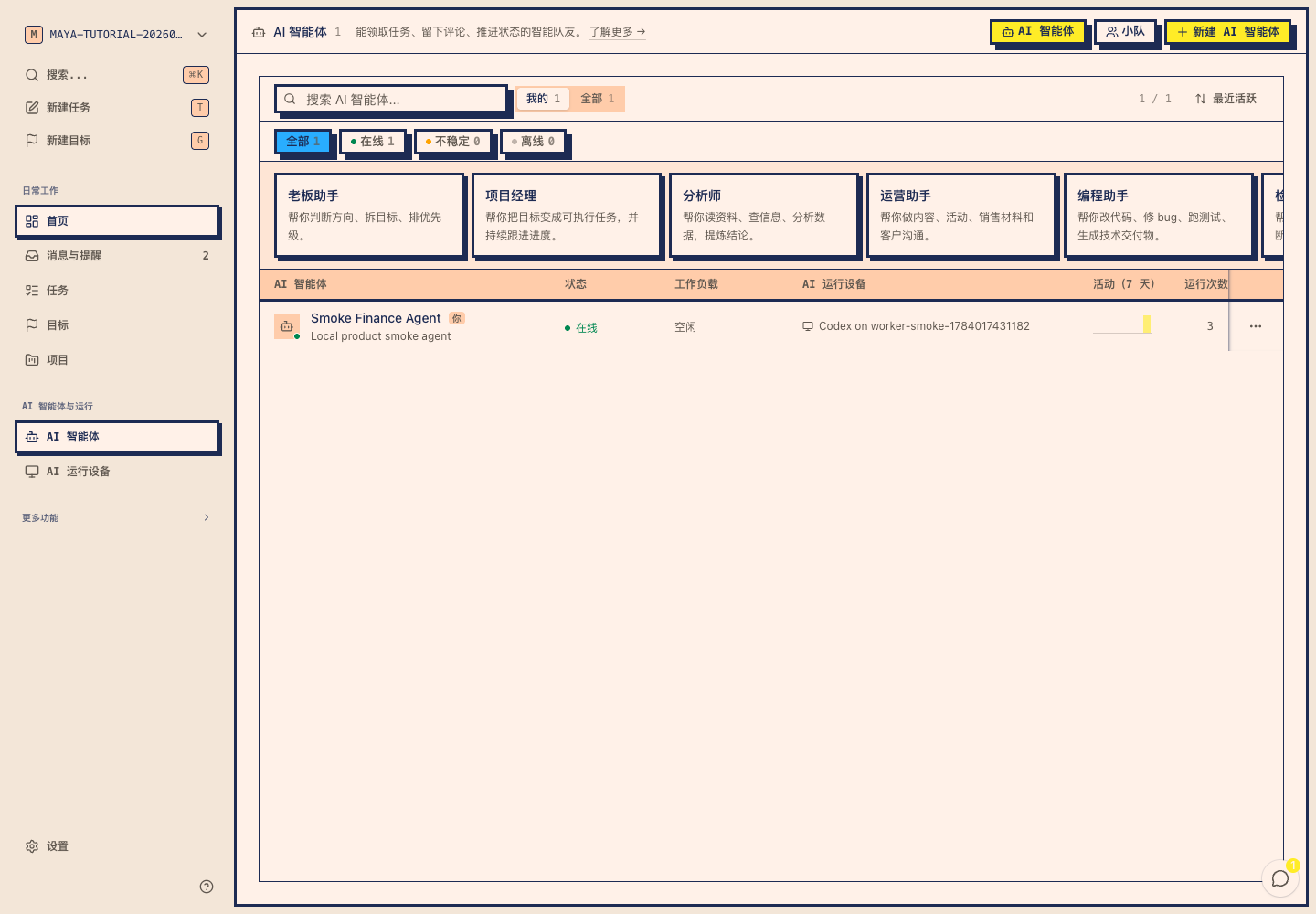
01Start with the outcome

Define what done looks like before work starts.

A Goal is more than a loose prompt. Add background, files, and completion criteria, then let digital workers draft the steps. You can edit the plan before anything starts.

  • Begin with the result

    Name the conclusion, file, or change you need so the work does not end as another chat reply.

  • Keep the source material

    Files, notes, and completion criteria stay attached to every step that follows.

  • Edit before kickoff

    Review the AI-generated task draft, sequence, owners, and decision points before starting.
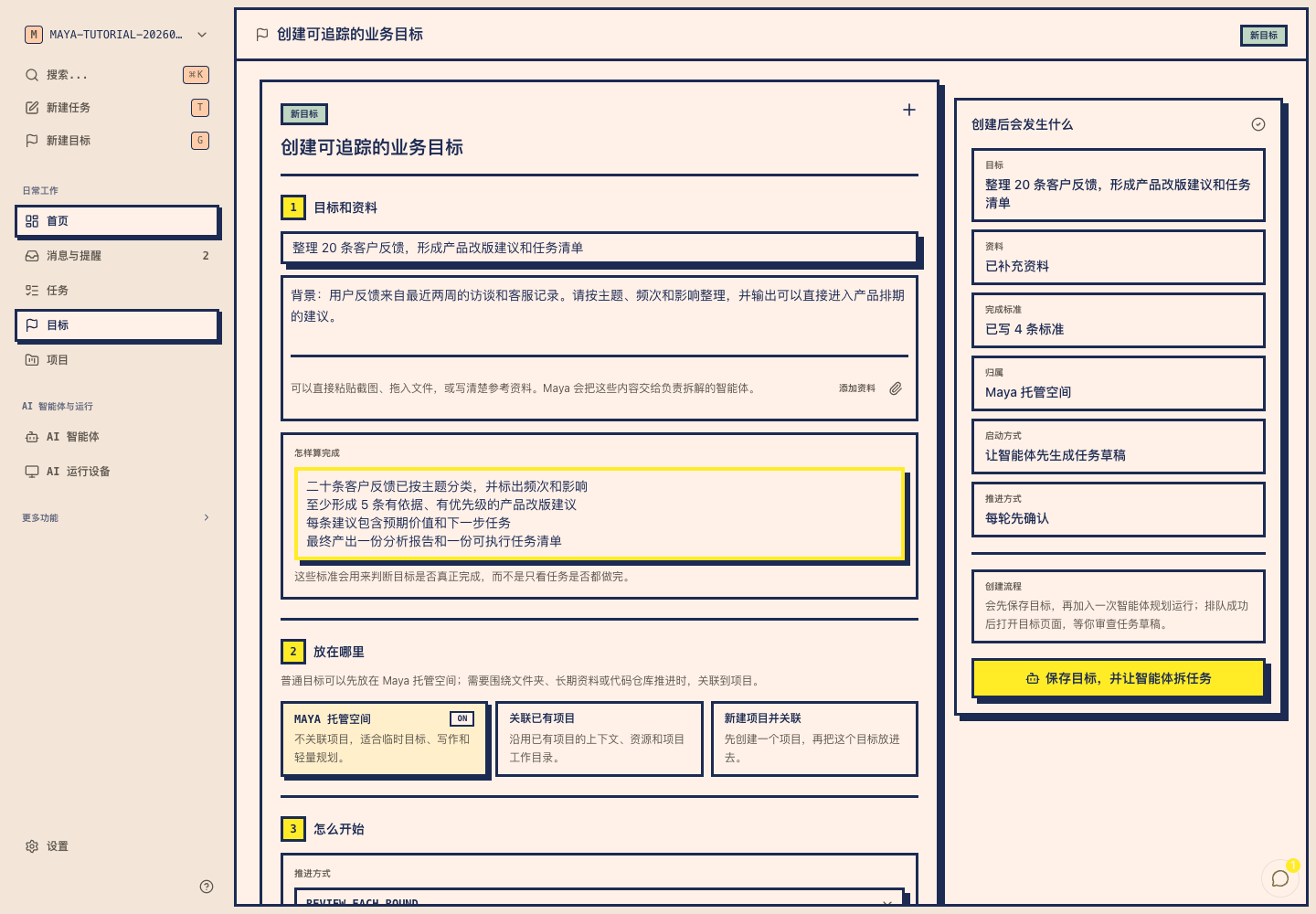
Define what done looks like before work starts. — Mayaai Top 真实操作页面
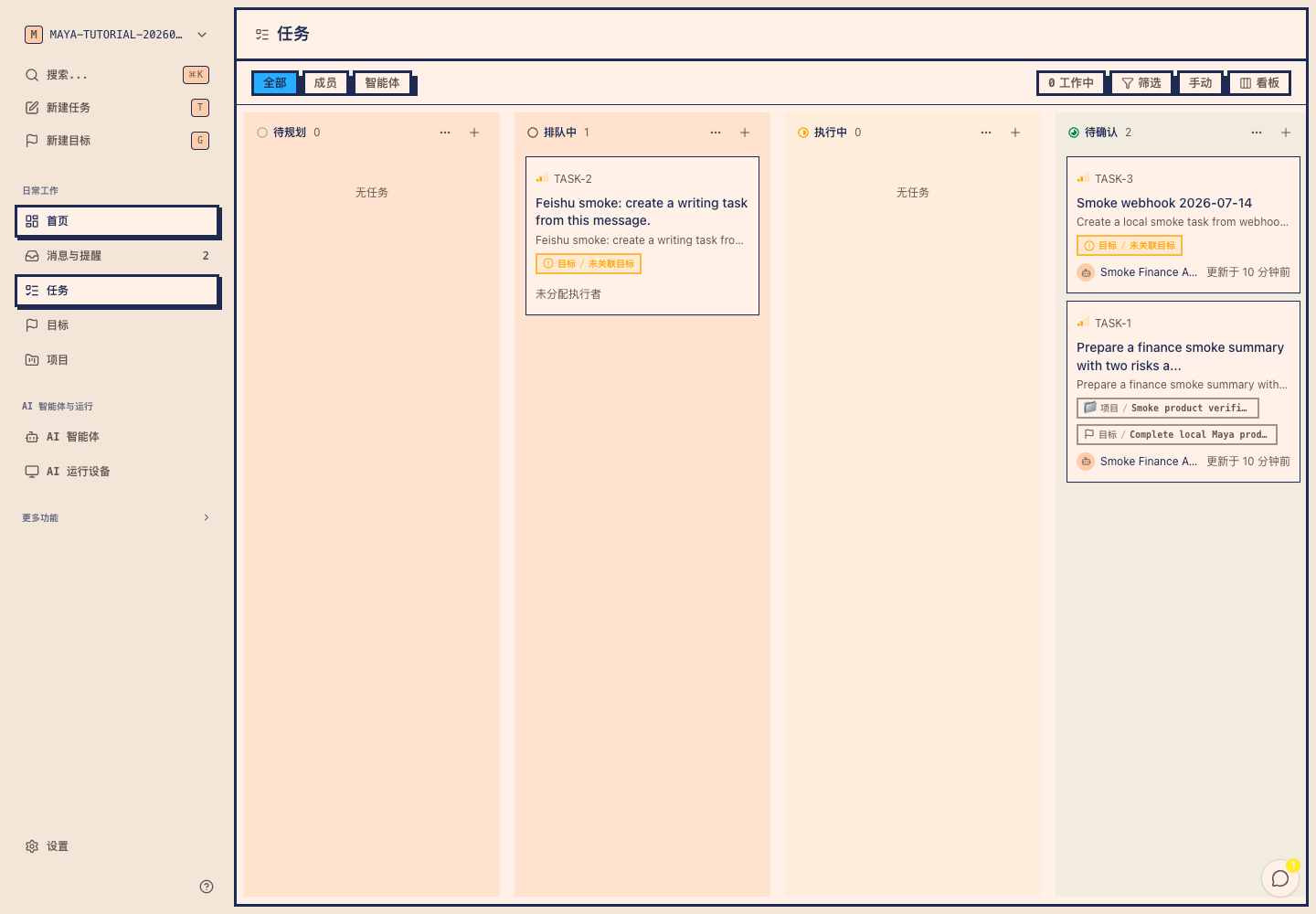
02Choose digital workers

Give different work to different digital workers.

Coding, analysis, writing, and operations do not need to share one generic assistant. Give each digital worker a clear job and connect it to Codex, Claude Code, OpenClaw, or another real tool.

  • Clear responsibilities

    Use a lead worker for direction, an analyst for data, and a coding worker for the codebase.

  • Visible tools

    See which AI runtime device and CLI tool every digital worker uses.

  • Change course without restarting

    Switch the worker, add context, or reassign the work while keeping what already happened.

Give different work to different digital workers. — Mayaai Top 真实操作页面
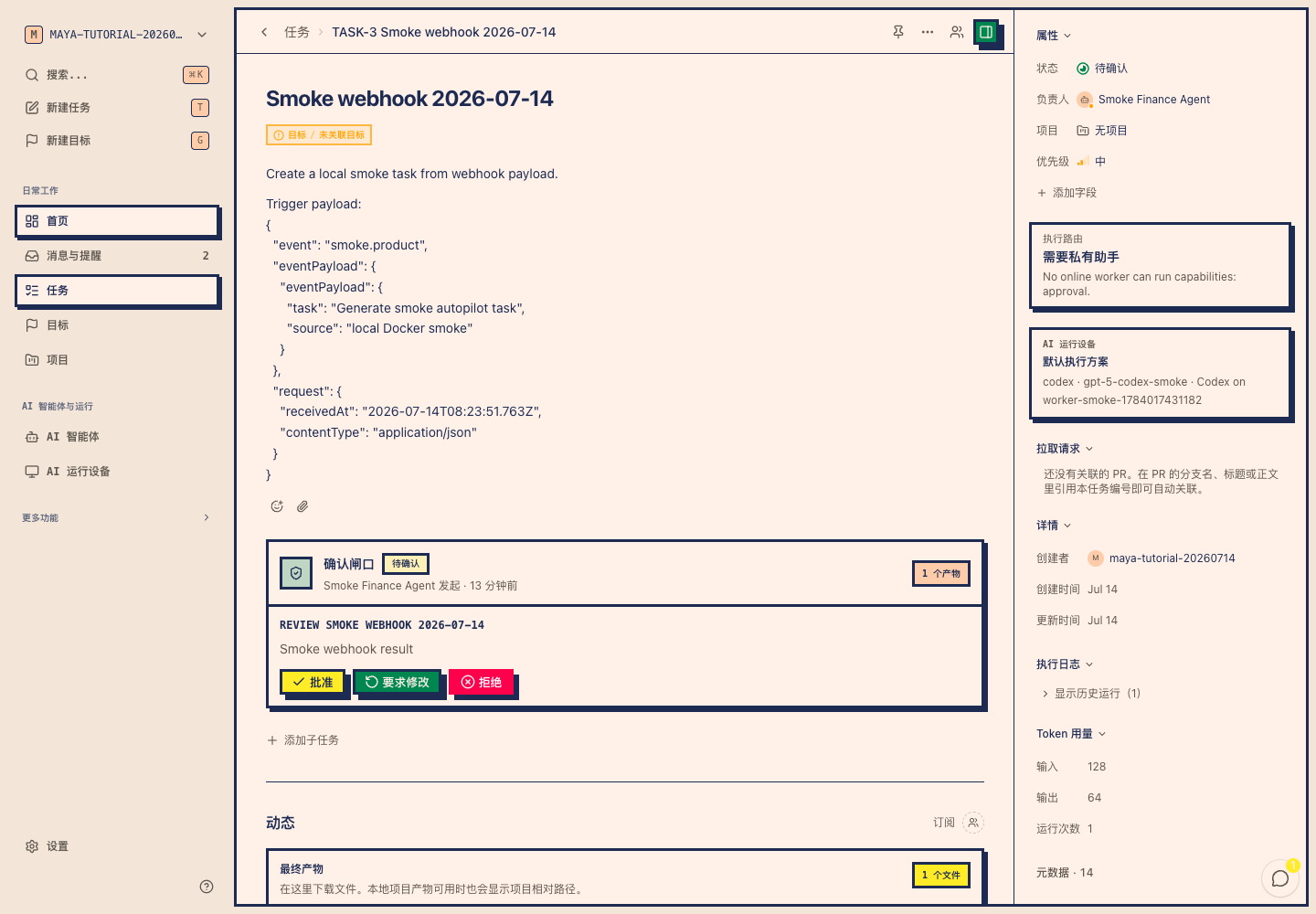
03Follow the progress

See who is working, what is next, and what is blocked.

All work enters one task queue. Planning, queued, running, waiting for you, and completed stay separate. Dependencies and retries do not disappear across terminal and chat windows.

  • Readable states

    Use one set of states for planning, queued, running, needs decision, and completed.

  • Visible dependencies

    See why a step has not started and which earlier step it is waiting for.

  • History you can revisit

    Worker replies, execution records, stops, and retries stay with the task for the next handoff.

See who is working, what is next, and what is blocked. — Mayaai Top 真实操作页面
04Receive the deliverables

Pause for your judgment, then return the finished files.

Sending, publishing, and exporting can wait for your approval. When work finishes, reports, spreadsheets, documents, images, and code return to the task that produced them.

  • Confirm important actions

    Approve, request changes, or decline before the digital worker continues.

  • Keep outputs together

    The final file stays beside its task, digital worker, and execution history.

  • Continue from the result

    Ask another question or hand off to another worker without losing earlier context and files.

Pause for your judgment, then return the finished files. — Mayaai Top 真实操作页面

Get started

Finish your first real job in four steps,
not another product demo.

STEP 01

Sign in and enter a workspace

Verify your email. New users continue through first-time setup; returning users go straight back to their workspace.

STEP 02

Connect an AI runtime device

Connect this computer or a server so Codex, Claude Code, and other tools can execute real work.

STEP 03

Create your first digital worker

Choose what it is good at, then bind it to the device and AI tool you just connected.

STEP 04

Send a task and watch the result

Describe the first job. Mayaai Top opens the task detail so you can follow execution and find the final files.

Manage digital workersRead the workbench guideConnect an AI runtime device

AI practices · one-person company

How can one person manage a team of AI workers?

Start with one outcome and two digital workers, then connect roles, tasks, human decisions, and deliverables into a repeatable operating system.

  • 18 operating questions
  • 5 practical modules
  • Steps, FAQ, and sources
Explore the one-person company topic

When Mayaai Top is useful

When the work is more than one prompt,
it is time to manage it in Mayaai Top.

One tool and one quick question can stay in chat. Mayaai Top becomes valuable when several digital workers collaborate for hours or days, important actions need your decision, and the work must end with usable files.

Workbench guideLearn Goal modeView changelog
01

One outcome needs many steps

Research, business analysis, release work, and course production need a plan before the work begins.

02

You use several AI tools

Codex handles code, Claude Code reads the project, and OpenClaw runs automation while progress stays in one place.

03

The work needs your judgment

For publishing, sending, exporting, or business decisions, a digital worker can stop and ask first.

04

The result must be reusable

Reports, spreadsheets, decks, documents, images, and code must remain downloadable and easy to continue.

FAQ

What first-time users usually ask.

Mayaai Top is an AI digital workforce management platform. It keeps outcomes, digital workers, task progress, human decisions, and deliverable files in one workspace.

A digital worker is a Mayaai Top agent with a defined role and a real AI tool behind it. It can use Codex, Claude Code, OpenClaw, or another supported tool to complete work.

Terminals and chats are useful in the moment. Mayaai Top manages the longer arc: who is working, what is blocked, what you approved, and which files were delivered.

The current product and guides cover Codex, Claude Code, OpenClaw, and Hermes. Connect them to different digital workers and follow all work from one place.

During the current beta, connect your computer or server as an AI runtime device. Mayaai Top organizes and records the work; tools such as Codex and Claude Code execute it on that device.

Use Mayaai Top for work that has several steps, lasts longer, needs decisions along the way, and ends with files: research, business analysis, content production, course development, and software delivery.

maya

Manage Codex, Claude Code, OpenClaw, and other digital workers in one place. Start with an outcome, follow the work, make important decisions, and find the final files.

Get started

Product

  • Features
  • How it Works
  • Tutorials
  • Changelog
  • Download

Resources

  • Workbench guide
  • AI Practices
  • One-person company
  • Changelog
  • Download local assistant

Company

  • About
  • Use cases
  • Contact Sales
  • Privacy
  • Terms

© 2026 Mayaai Top. All rights reserved.